
12 October 2026
How to Choose a Photo for a Custom Kinusaiga Pattern
Choose a source photo that will translate clearly into a custom Kinusaiga pattern. Learn how to assess the subject, lighting, background, crop and format before uploading a favourite portrait, pet photo or landscape.
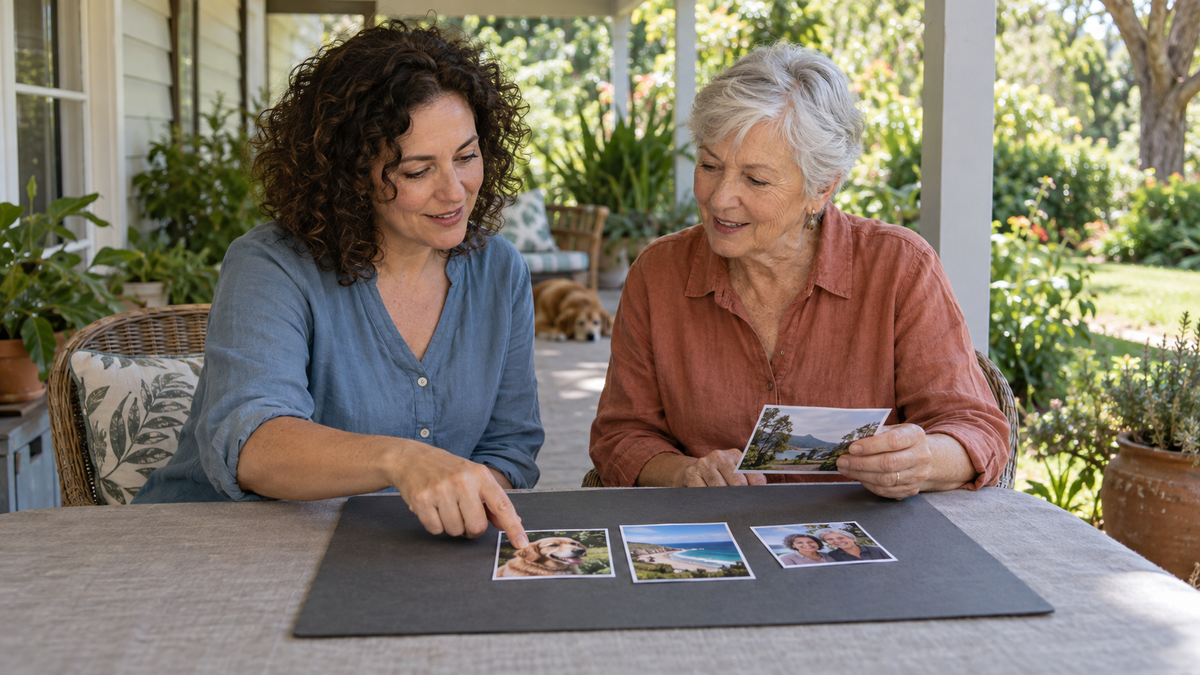
A good photo for a custom Kinusaiga pattern has one clear subject, useful contrast and a background that does not compete for attention. You do not need a professional portrait. Start with an image you already care about, then check that the face, pet or place is easy to recognise when viewed small.
Start with the memory, then judge the image
The most meaningful photo is not always the most technically perfect one. A slightly informal picture can carry far more feeling than a polished pose. Begin by gathering three to five options that represent the person, pet or place as you remember it. Only then compare their practical qualities.
Kinusaiga translates an image into defined areas that can be interpreted with fabric. Strong shapes, clear edges and an obvious focal point therefore help more than tiny photographic detail. Think about what makes the image recognisable: the angle of a dog's ears, the outline of two people together, a familiar headland or a distinctive jacket. That central feature should remain clear even when the photo is reduced to thumbnail size.
Choose one obvious subject
The easiest photos to interpret usually tell the eye where to look first. A single person, one pet, a couple standing close together or a landscape with a strong main feature gives the composition a natural centre.
Busy group photos can still hold wonderful memories, but many small faces and overlapping bodies ask a compact pattern to carry a great deal of information. If you want to use a group image, look for one where the people are close to the camera, well lit and separated from a simple background. Otherwise, consider cropping around the two or three people who matter most to this particular project.
Look for clear light and useful contrast
Choose a photo in which the subject is evenly lit and easy to distinguish from the background. Soft daylight often works well because it keeps features visible without the hard shadows created by direct flash or strong midday sun.
Contrast does not have to mean dramatic black and white. It simply means that important areas do not merge together. Dark hair against a dark wall, a black dog on a deep-coloured sofa or a pale shirt against an overexposed sky can lose definition. A different photo—or a tighter crop—may separate those shapes more clearly.
If you are comparing two similar images, briefly turn down your screen brightness or view both as small thumbnails. The stronger option is usually the one you can understand first without zooming in.
Keep the pose and expression readable
For portraits, look for an expression that feels true to the person rather than forcing a formal smile. Faces are easier to interpret when the eyes, nose and mouth are visible, the head is not heavily shadowed and another object is not crossing the face.
For pets, side profiles can be beautiful when the silhouette is distinctive, while a three-quarter or front view often shows more character in the eyes and ears. Check that moving paws, leads, furniture or another animal are not obscuring the outline you most want to keep.
A candid photo can be an excellent choice. The deciding question is not whether the pose is perfect; it is whether the important shapes and expression are readable.
Simplify the background before you upload
A quiet background gives the subject more room to carry the finished design. Plain walls, open sky, water, foliage at a distance and softly blurred rooms can all work. A background filled with signs, furniture, patterned curtains or crowds may pull attention away from the memory you meant to preserve.
You do not need advanced editing software. Often, a careful crop is enough. Leave a little breathing room around the subject, but remove objects that do not add meaning. Avoid cropping through the top of a head, the edge of a pet's ears or a feature you want to recognise later.
Match the photo to the available shape
Kinusaiga Australia's current custom Kinusaiga PDF pattern offers a 15 × 20 cm portrait format and a 20 × 20 cm square format. A tall image of one person may sit naturally in the portrait option. A close pet portrait, couple or centred landscape may suit the square.
Do not stretch a photo to force it into a different proportion. Instead, test a crop in the same shape as the intended design. Check that the subject still has comfortable space and that the main feature is not pushed awkwardly against an edge.
A quick photo-selection checklist
- Is there one clear subject or focal point?
- Can you recognise the subject when the photo is viewed small?
- Are the face, pet features or landscape shapes clearly lit?
- Does the subject stand apart from the background?
- Can distracting objects be removed with a simple crop?
- Does the composition suit a portrait or square format?
- Do you have permission to share the photo?
What happens after you choose
Upload a JPG or PNG on the custom photo-pattern page, enter your email, choose a design size and add any helpful notes before continuing to checkout. The current service is a personally prepared digital PDF rather than an instant download. It is reviewed before being emailed to you.
The pattern pack is designed to guide your own fabric choices. It does not arrive as finished artwork or as a complete physical kit. If you would rather begin with a ready-designed project, explore the current Kinusaiga collection. You can also compare the experience with other techniques in our guide to punch needle, diamond painting and Kinusaiga.
Frequently asked questions
Does my photo need to be professionally taken?
No. A clear personal photo can be suitable when the subject is well lit, easy to recognise and not hidden by a busy background.
Can I use an old printed photograph?
You can start by scanning or photographing the print carefully. Keep the camera parallel to the photo, avoid glare and check that the digital copy is sharp before uploading it.
Can I use a photo with several people?
Possibly, but a compact design has limited room for many small faces. A closer group, a simpler background or a crop around the key people will usually read more clearly.
What do I receive from Kinusaiga Australia?
The current A$9.99 service provides a custom digital PDF with a numbered outline, colour layout and suggested fabric palette. It includes one free revision and is emailed after preparation and review.
Are fabric and tools included?
No. Fabric, foam, frame and tools are purchased separately. The custom product is a digital pattern, not finished artwork or a physical craft kit.